
Bitcoin Wallets Explained: How to Choose the Best BTC Wallet
Every few years, another exchange collapses and takes customer funds with it. Mt. Gox. QuadrigaCX. FTX. The pattern is consistent enough that “not your keys, not your coins” has become less of a slogan and more of a hard lesson people learn once and remember permanently. A Bitcoin wallet is how you avoid being in that situation. It puts the actual proof of ownership — the private key — on hardware or software you control directly, rather than trusting a third party to hold it.
Choosing the right wallet isn’t complicated, but it does require knowing what the tradeoffs are. Speed vs security. Convenience vs control. The options below cover the full range.
What Is a Bitcoin Wallet?
Bitcoin doesn’t exist the way cash does. There’s no file on a drive labeled “my_bitcoin.txt” — what exists is a record on the blockchain showing that a particular address controls a particular amount. To spend from that address, you need the private key that corresponds to it.
That’s what a wallet actually stores. Not Bitcoin. The credential that proves you control it.
Each Bitcoin address has two mathematically linked keys. The public key is what you give people to receive funds — it’s safe to share openly. The private key is what authorizes transactions out of that address, and it needs to stay secret. Lose it without a backup and the Bitcoin associated with it is gone. Not locked, not recoverable through customer support. Gone, permanently, because the blockchain has no admin account to appeal to.
Most wallets handle this by generating a seed phrase during setup — a series of 12 or 24 ordinary English words drawn from a standardized list of 2,048 terms. Those words encode the private key in a form that’s easier to write down and store than a 256-bit hex string. Any wallet that supports the same standard (BIP-39, used by nearly all modern wallets) can restore access from that phrase, regardless of brand or software version. The seed phrase is, functionally, the Bitcoin. Every backup process and security recommendation in this guide flows from that fact.
Self-custody means you hold the private key. Custodial means a company holds it for you. Both are called “wallets,” but the risk profile is completely different. The terminology matters when evaluating what a wallet actually offers — an app that calls itself a wallet but holds your keys internally is, practically speaking, a bank account with a crypto interface.
Types of Bitcoin Wallets
Hardware wallets are physical devices — about the size of a USB drive or credit card — that store private keys in isolated chips that never connect to the internet. Signing a transaction requires physical access to the device and manual confirmation on its screen. A hacker who fully compromises the computer it’s plugged into still can’t extract the keys. This makes hardware wallets the standard recommendation for anyone holding a meaningful amount of Bitcoin long-term. Entry-level options start around $50.
Software wallets (hot wallets) are apps — mobile, desktop, or browser extensions. Keys are stored on the device, which means they live on something internet-connected. Convenient for regular use, and reputable options use strong encryption and security practices. But the threat model is different: malware, phishing attacks, and stolen devices can all potentially reach software wallet keys in ways that simply don’t apply to hardware.
Custodial wallets — most exchange accounts fall here — are technically not wallets in the ownership sense. The company holds the private key. You have an account balance in their database, and you’re trusting that they’ll honor withdrawal requests, stay solvent, and remain accessible to you. For active traders this is sometimes practical. For long-term holders, the FTX episode demonstrated what that trust is actually worth.
Paper wallets are an older method: printing keys or seed phrases on paper and storing them offline. Immune to remote attacks, but fragile in ways that matter over a long time horizon. Water, fire, fading ink, a single unreadable character in a 24-word sequence — any of these can make the backup useless at exactly the moment it needs to work. Hardware wallets do the same job better. Steel backup plates, which let holders stamp or engrave individual seed words into metal, have become the preferred offline backup format for people who want paper-style cold storage without worrying about what happens to it in ten years.
What Is the Best Bitcoin Wallet in 2026?
Best Hardware Wallet
Ledger Nano X ($149) is the top recommendation for most users due to its ease of use. Bluetooth connectivity enables mobile transactions via the Ledger Live app, which supports over 5,500 assets and native staking. It utilizes an EAL5+ certified secure element chip. However, Ledger faces criticism regarding firmware transparency, as its device-level code is closed-source. The 2023 launch of an optional cloud-based seed recovery service also sparked controversy among privacy advocates, despite being an opt-in feature.
Trezor Safe 3 ($79) offers a fully open-source alternative. Unlike previous models, the Safe 3 includes a secure element chip to prevent physical extraction attacks. It also supports Shamir Backup, allowing users to split their seed phrase across multiple locations. The trade-off is a narrower range of supported assets and the lack of Bluetooth (which only arrived with the Safe 7 in late 2025). It is ideal for those prioritizing auditability for Bitcoin and Ethereum portfolios.
Coldcard Mk4 is a Bitcoin-only device for high-assurance security. It operates via an “air-gapped” model, using QR codes or microSD cards instead of a direct USB connection. The interface is text-based with a numeric keypad. It features a unique two-part PIN system with anti-phishing words to verify hardware integrity. While the learning curve is steep, it removes the need to trust any vendor’s internal processes.
Best Mobile Wallet
BlueWallet handles Bitcoin and nothing else, which is a feature rather than a limitation. Open-source, non-custodial, supports both standard on-chain transactions and Lightning Network payments for faster, cheaper transfers. Watch-only mode lets users monitor cold storage balances without importing private keys to a phone. No account creation required — download and use. Available on iOS and Android.
Exodus suits users managing Bitcoin alongside a broader portfolio. The interface is clean across mobile, desktop, and browser, and the built-in swap feature handles basic trades without a separate exchange. Two things to know: it’s not open-source, and swap margins run higher than dedicated exchanges. For portfolio viewing and occasional rebalancing, it works well. As a primary trading interface, those margins add up.
Trust Wallet covers over 100 blockchains and the token support that goes with them — DeFi protocols, NFTs, altcoins across multiple networks. Non-custodial and Binance-backed, though Binance doesn’t hold keys — the private keys stay on the user’s device, and Binance’s custodial operations are separate from the wallet product. For portfolios that extend well beyond Bitcoin, the breadth is the appeal. For Bitcoin-specific use, BlueWallet offers a more refined experience. Trust Wallet’s strength is volume: millions of tokens, hundreds of chains, all accessible from one app without separate installs.
Best Wallet for Beginners
Exodus has the lowest friction of any reputable self-custody wallet. Installation takes minutes. The interface doesn’t require understanding UTXOs, fee markets, or derivation paths to use. Built-in swaps handle basic trades. It runs identically across mobile, desktop, and browser.
Zengo takes a different approach to the seed phrase problem entirely. Instead of a 12-word backup, it uses multi-party computation: the private key is split between the device and Zengo’s infrastructure, with neither piece sufficient to act alone. This eliminates seed phrase loss — statistically the most common way people permanently lose Bitcoin access. The tradeoff is that Zengo’s security model involves trusting their servers in ways pure self-custody doesn’t. For users who are realistically more likely to lose a piece of paper than to face a targeted infrastructure attack, that tradeoff often makes sense.
Best Wallet for Advanced Users
Sparrow Wallet on desktop is the most capable Bitcoin-only software wallet currently available. Full coin control, multisig configuration, PSBT support, a transaction editor, and the ability to connect to a personal Bitcoin Core node for independent transaction verification. The interface assumes existing knowledge — someone unfamiliar with UTXOs and fee markets will find it dense. For experienced users managing significant holdings with specific privacy requirements, nothing else in the software category reaches the same depth.
Coldcard hardware paired with Sparrow software is the combination most commonly found among people who’ve decided to treat Bitcoin custody as a serious operational practice. Coldcard handles offline key storage and signing; Sparrow handles transaction construction and coin management. The security model doesn’t require trusting any vendor’s claims about what runs internally.
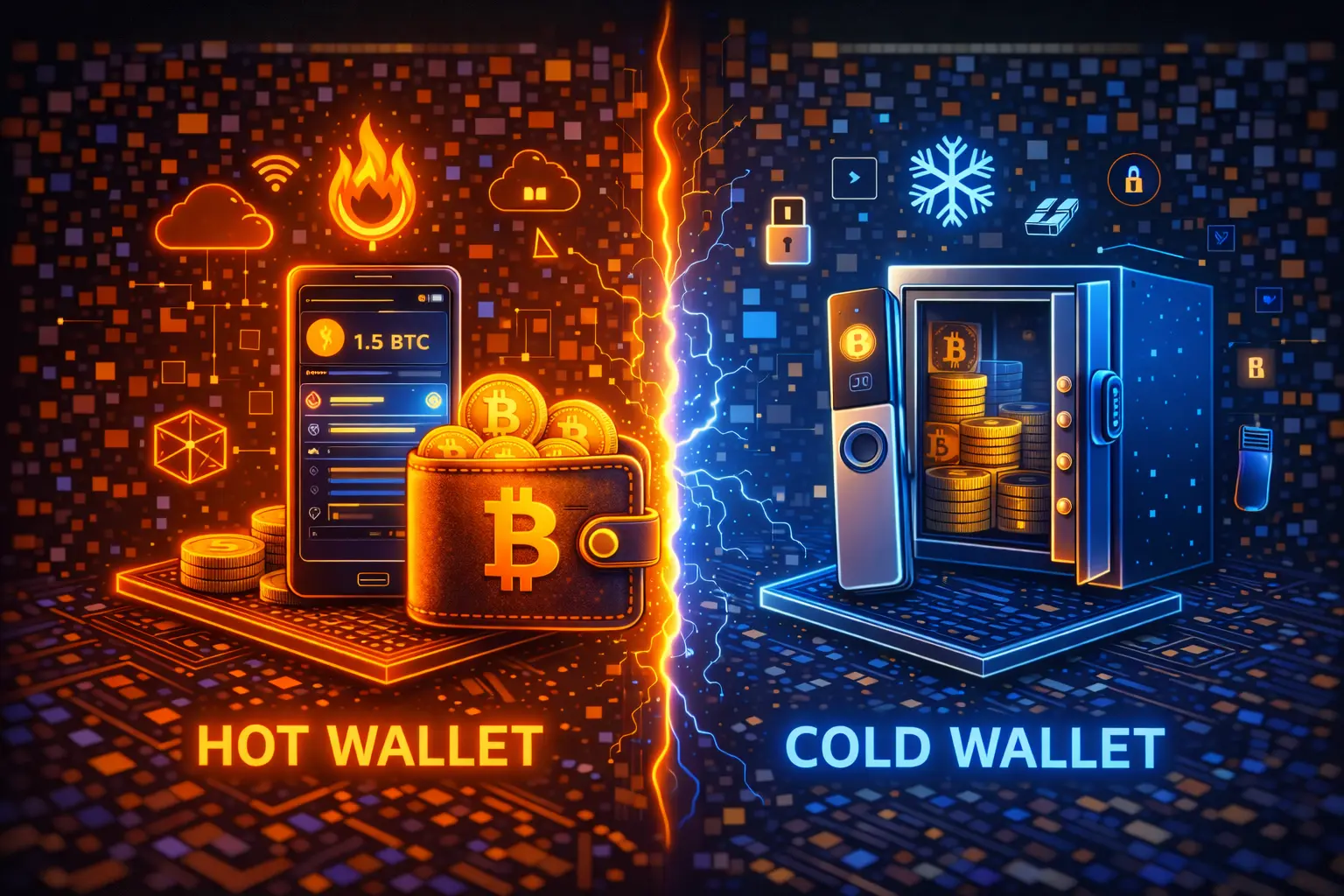
Hot Wallet vs Cold Wallet for BTC
The core distinction is whether private keys ever touch an internet-connected device.
Cold storage keeps them on offline hardware. The only way to sign a transaction is to physically interact with the device — remote attackers, regardless of how thoroughly they’ve compromised a computer, can’t reach keys they can’t access. This is the appropriate choice for Bitcoin held as savings: amounts not actively traded and not intended for regular spending.
Hot storage trades that isolation for speed. A phone wallet lets you send Bitcoin in seconds without unlocking a hardware device. The key is on the phone, reachable in principle by anything that compromises the phone. Most hot wallet losses, though, don’t come from sophisticated technical attacks. They come from seed phrases entered into phishing sites, transaction approvals clicked without reading, and clipboard-hijacking malware that swaps receiving addresses. There’s also the simple scenario of a lost or stolen phone without a backup — which is why treating the seed phrase as a separate, physically stored item matters even for hot wallet users. Habits matter more than software choices, and the backup process matters as much as the wallet choice itself.
The two approaches aren’t in competition. Most experienced holders keep the majority of their Bitcoin in cold storage and maintain a smaller mobile balance for actual transactions. When the mobile balance depletes, they top it up from cold storage. Routine spending stays in the hot wallet; savings stay offline.
How to Choose the Right Wallet for You
Amount first.
A hardware wallet costs $79 at minimum. Protecting $200 in Bitcoin with a $79 device is technically possible but financially backward. Reputable mobile self-custody works fine at small amounts. The device investment becomes proportionate somewhere around $500–$1,000 in holdings, and highly proportionate above that. The same logic applies to the time investment in setup: hardware wallets require more initial configuration than mobile apps, and that investment makes more sense the more is being secured.
How often you transact shapes format more than security preferences do.
Hardware wallet confirmation takes 30–90 seconds per transaction — physically confirming on the device, waiting for broadcast, verifying receipt. Fine for monthly activity. Friction for daily use. Mobile wallets handle regular transactions without ceremony. If Bitcoin is savings that gets checked occasionally, hardware is the right fit. If it’s a spending asset used weekly or built into routine purchases through Lightning, a phone wallet handles that better.
Bitcoin-only vs multi-chain is a real fork in the road.
Bitcoin-native wallets — BlueWallet, Sparrow, Coldcard, Trezor — are built specifically for BTC and tend to offer more refined Bitcoin-specific features: coin control, Lightning Network integration, PSBT support, and compatibility with Bitcoin’s privacy tooling. Multi-chain wallets — Ledger, Exodus, Trust Wallet — handle broad asset support in a single interface, which matters if the portfolio includes Ethereum, Solana, or a range of tokens. The Bitcoin-native options sometimes feel limited to users coming from multi-chain backgrounds; the multi-chain options sometimes feel shallow to Bitcoin-focused users. Knowing which camp applies saves a lot of switching later.
Open-source status.
Trezor, BlueWallet, Sparrow, and Coldcard publish auditable code. Ledger and Exodus don’t (or not fully). For most users this is a theoretical concern — both categories have strong track records. For users who treat auditability as a hard requirement rather than a preference, it eliminates some options.
One operational note: buy hardware wallets only from manufacturers’ official websites. Secondhand devices and marketplace listings have appeared with tampered firmware and modified seed phrase generation — devices compromised before they reach the buyer, designed to silently record the seed phrase during first setup. Reputable manufacturers ship with tamper-evident packaging and include verification steps for checking firmware integrity. The discount available on secondary markets is not worth the risk of starting with a compromised device.
Conclusion
The best Bitcoin wallet depends on your intent. Use Ledger or Trezor for long-term saving, BlueWallet or Exodus for mobile spending, and Coldcard with Sparrow for advanced native custody.
The primary risk isn’t software; it’s seed phrase mismanagement. More Bitcoin is lost to digital leaks (cloud sync, emails) or lost notes than to hacks. Before committing large amounts, verify your backup is legible and test restoration with a small sum. Picking the right wallet matters, but handling the backup correctly matters more.
More Questions
A wallet manages the private keys needed to spend Bitcoin, which itself lives on the blockchain. Hardware wallets stay offline, software wallets live on apps, and custodial wallets are managed by third parties (like accounts).
Ledger Nano X for most (Bluetooth, broad support), Trezor Safe 3 for open-source fans, Exodus for beginners, and Coldcard for maximum security.
Hot wallets are internet-connected (fast, higher risk). Cold wallets are offline (secure, physical access required). Most holders use cold storage for savings and hot wallets for daily spending.
No. Exchanges control the keys. If the exchange fails or is hacked, your funds are at risk. Self-custody removes this dependency.
If you have your seed phrase, you can regenerate your keys on any BIP-39 compatible device. The hardware is just an interface; the keys live in the phrase. Without it, funds are lost forever.
If your holdings are worth less than the $50 device, a mobile wallet is fine. Once you cross $500–$1,000, hardware becomes a proportionate investment.
A 12 or 24-word recovery phrase that encodes your master key. Anyone with these words has total control of your funds. Never store them digitally; keep them physically secure.
Published Articles
 Popular
Bitcoin Pizza Guy: The Story Behind the First Real Bitcoin Purchase
Introduction The history of Bitcoin is full of dramatic ups and downs,...
How Bitcoin ATMs Work: A Complete Guide to Using Crypto ATMs
Introduction Millions of people around the world use cryptocurrencies today – at...

Best Bitcoin Mining Software of 2025 – Top 7 Tools for Maximum Profitability
Bitcoin mining has long since moved beyond being a hobby for enthusiasts...

Services You Can Pay for with Bitcoin
Where Bitcoin Is Accepted Today Today, Bitcoin (BTC) can be used to...

What You Can Buy With Bitcoin in 2025
Introduction Over the years, Bitcoin has evolved from an experimental digital currency...
 Popular
Bitcoin & Crypto Options Trading: A Complete Guide for Beginners and Experts
Bitcoin options trading has grown rapidly in recent years as the cryptocurrency...