
What Is a Wallet Drainer and How Can You Protect Your Crypto?
Introduction
An airdrop page promises a small reward. Your wallet opens, but the request asks for permission to spend a token you already own. That mismatch is a reason to stop. The label on a webpage can describe something entirely different from the action your wallet is authorizing.
A wallet drainer often succeeds by persuading the owner to approve that action. Learning what each request permits gives you a useful way to assess a claim, swap or login before signing. If you have already approved something suspicious, the next step depends on what you authorized.
What Is a Crypto Wallet Drainer?
A crypto wallet drainer is malicious software or a service used to trick people into authorizing the theft of assets from self-custodial wallets. The bait may be a fake mint, an airdrop or an urgent security check. A wallet drainer can obtain a spending permission, collect a usable signature or persuade the victim to send a transfer.
The attacker often does not need the recovery phrase. The victim's authorization can provide a route to the assets. Some operators sell their tools as drainer-as-a-service, supplying infrastructure to criminals who promote the phishing pages. This helps explain why different-looking campaigns can use similar tactics.
The scope varies. A wallet drainer exploiting one token allowance does not automatically gain every asset on every network. The ERC-20 and NFT examples below concern Ethereum Virtual Machine, or EVM, networks. Bitcoin and other systems use different transaction and permission mechanics.
How Do Wallet Drainers Work?
Fake Websites, Airdrops, and Compromised Social Accounts
The journey often begins outside the wallet. An advertisement, direct message or social post leads to a page copied from a familiar project. The page may say that a claim is closing soon, leaving little time to inspect the request.
A familiar account can spread the same bait after its owner loses control of it. A verified badge or years of posting history cannot establish that today's link is legitimate. Check announcements through an independently accessed project channel before opening the claimed application.
Malicious Token Approvals and NFT Permissions
An ERC-20 approval can let a designated spender move a token later. A fraudulent claim page may request that permission while describing it as eligibility verification. The authorized spender can then use the allowance without another wallet confirmation from the owner.
NFT permissions need their own review. An ERC-721 approval may cover one NFT, while an operator approval can cover all the owner's NFTs managed by that collection contract. A request connected to one advertised item may therefore have a wider effect than expected. It still does not grant ownership of every unrelated collection.
Deceptive Signatures and Transfer Requests
A page can also request a signature for a marketplace order or another authorization while calling it a login. The wording displayed by the website has no power to limit what the signed data actually means to a contract.
A transfer request works more directly: confirmation may send assets to the attacker's address. A contract transaction can perform several operations, so inspecting only the native-coin amount is insufficient. Review the decoded action, asset changes and recipient or contract. An unexpected transfer needs an explanation before approval, even when the page calls it a claim.
Connecting, Approving, and Signing: What Is the Difference?
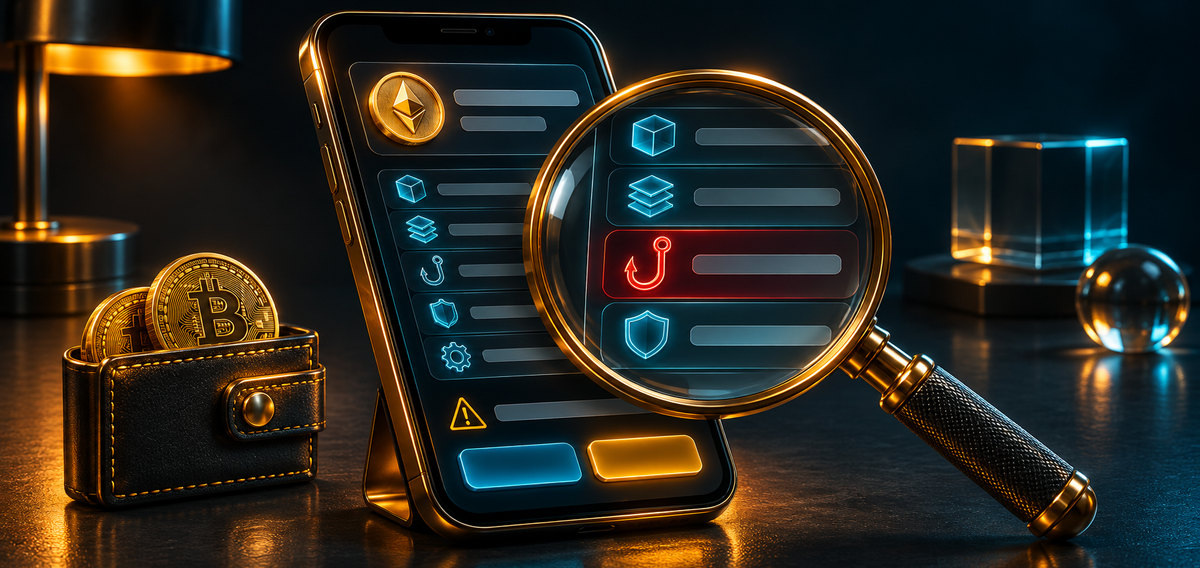
Several actions can occur during one visit. Examine the wallet request each time; an initial connection does not describe the permissions requested afterward.
What Connecting a Wallet Allows
An ordinary connection generally exposes the selected public address and lets the application request further interactions. The address can reveal publicly recorded balances and activity. It does not, by itself, authorize the application to spend assets or disclose the private key.
Check which account and network you are exposing. Additional session permissions or account delegations, where supported, are separate authorizations that need their own review. Disconnecting later ends the application's wallet connection, but leaves existing on-chain token permissions in place.
Account delegation can allow contract code to act for an account, with consequences broader than one token allowance. A request to enable a new account feature therefore deserves careful inspection. Do not assume that accepting it merely makes the connection faster or cheaper because the application describes it that way.
How Token Approvals Grant Spending Permissions
For an ERC-20 approval, inspect the token, spender and amount on the selected network. An allowance of 100 units limits the spender to that amount under the token's rules. It does not authorize spending a different token, native ETH or Bitcoin.
An unlimited allowance usually means an extremely large spending cap, not a literal infinite balance. It can expose both current holdings and later deposits of that token while the permission remains usable. Restrict the amount to what the intended operation requires when possible.
For an NFT approval, check the specific item or collection contract and the operator being authorized. Collection-wide permission deserves particular care. A legitimate marketplace may need it for its workflow, but that does not make every request using the same permission trustworthy.
Why a Gasless Signature Can Still Be Dangerous
A normal signed login message can simply prove control of an address. Other messages have financial consequences. For example, ERC-2612 permits a token allowance to be established using signed data that someone else submits on-chain. The owner may pay no gas when signing it.
Read the purpose, spender, amount, chain, verifying contract and deadline where those fields apply. A permit's deadline limits when it can be submitted; it does not automatically expire an allowance already established. A marketplace order has different terms to inspect. If the wallet cannot explain a request, stop and verify it independently. The absence of a network fee is not evidence that the signature carries no authority.
Warning Signs of a Wallet Drainer Scam
A wallet drainer often relies on a mismatch between the advertised task and the permission requested. Watch for:
- An airdrop asking to spend existing assets unrelated to the reward.
- A purported login requesting a token allowance, NFT operator or sale order.
- A claim page pressuring you to ignore a wallet warning.
- A support agent requesting your recovery phrase or private key.
- A familiar project name attached to an unfamiliar domain or spender address.
A spending cap alone cannot prove that a site is fraudulent. Legitimate applications also request approvals. Look at the request in context: whether you intended that operation, whether the destination matches an independently verified address, and whether you understand which assets are exposed.
Wallets may shorten an address in the first view. Compare the full spender or recipient when verifying a request. A familiar name supplied by the page is not independent evidence that the address belongs to the project. Use the contract details published through a verified source.

How to Protect Your Wallet from Crypto Drainers
Open applications through a verified route you have checked independently. A bookmarked address reduces typing mistakes, but the underlying site can still be compromised. Read what the wallet asks you to authorize even when the website is familiar. A wallet drainer can hide behind a page that looks entirely routine.
Keep long-term holdings apart from the account used for unfamiliar applications. Fund an interaction account only with what the planned activity needs, allowing for legitimate fees. This limits what that account exposes; it does not establish the safety of a website or contract.
Use a hardware wallet for key protection where appropriate, and inspect the details on its trusted display. It can securely sign a harmful instruction if you approve one. Avoid blind signing requests you cannot interpret. Keep wallet software and device applications updated, and use available security alerts and transaction previews as additional checks.
Review existing approvals periodically on each relevant network. Use a reputable wallet control, explorer or allowance checker reached through a verified address. Revoke permissions you no longer need, particularly unfamiliar spenders and broad NFT operators. The revocation itself is a transaction: check its target and wait for confirmation. Never enter a recovery phrase into a site claiming it needs one to clean your wallet.
What to Do If You Suspect a Wallet Drainer
Stop interacting with the suspicious page and reject pending requests you have not authorized. Do not approve a second request claiming to reverse the first. Record the domain and wallet request if you can do so safely, then inspect activity through a trusted wallet interface or block explorer.
If you only connected, inspect what permissions were actually granted before assuming the account is drained. For a confirmed malicious token approval, revoke the affected spender's allowance on the correct network. NFT operators require the corresponding NFT permission to be removed. Disconnecting the site can prevent further prompts through that connection, but does not perform either revocation.
Submitting a revocation is not the same as having it confirmed. The attacker may use an active allowance before the revocation takes effect. Inspect the transaction status through a trusted interface and assess whether remaining assets are still exposed; a pending transaction does not establish that they are protected.
A signature may need a different response. An unused permit or marketplace order can remain valid even when no theft is visible in transaction history. Revoking an existing allowance does not necessarily invalidate every outstanding signed authorization. Check the relevant protocol's cancellation or nonce controls through official guidance; do not return to the phishing page for a cancellation tool.
If your recovery phrase or private key was exposed, revoking approvals cannot secure the compromised keys. Use a trusted, clean device to create a genuinely new wallet with a new recovery phrase. Move remaining assets there if you can do so safely, with guidance from verified wallet support where needed. Another account derived from the exposed phrase is not a clean replacement.
Do not repeatedly deposit gas into a compromised account if funds disappear immediately. An automated sweeper may take each deposit before you can use it. Preserve transaction hashes, addresses, timestamps and evidence, and report the incident to the relevant platforms and authorities. These records are more useful than a screenshot of a missing balance alone.
Can Stolen Crypto Be Recovered?
A confirmed blockchain transfer generally cannot be reversed by a wallet support agent. Tracing may identify where funds went. An exchange receiving stolen assets may be able to restrict an account through its procedures or legal process, and some token issuers have freezing controls. None of this guarantees that a victim will recover funds.
Report promptly and give investigators accurate transaction details. Be cautious of unsolicited recovery offers, especially demands for an advance fee, an unlock payment or your recovery phrase. The FBI warns that fraudulent recovery businesses target people who have already lost cryptocurrency. A tracing report by itself cannot compel the return of assets.
Key Takeaways
- A wallet connection alone does not authorize asset spending.
- ERC-20 allowances apply to a particular token and spender on a particular network.
- NFT operator permissions can cover a collection rather than one item.
- Gasless signatures can authorize actions with financial consequences.
- Recovery-phrase exposure requires a new wallet; approval revocation does not repair compromised keys.
Expert Insight
MetaMask's support guide says disconnection “will not revoke any token approvals”. The guide is addressing a common misunderstanding about leaving a dapp. Check the recorded spending permission itself when deciding whether an application still has access to tokens.
Conclusion
Before authorizing a request, identify the action, the assets it covers and the address receiving permission. Cancel unexplained requests. If a wallet drainer is suspected, respond to the actual exposure: connection, allowance, signature or compromised keys. Keep the evidence and use independently verified support channels.
FAQ
- Can connecting to a website drain my wallet?
An ordinary connection alone grants no spending right. Review any additional approvals, signatures, delegations or transactions requested afterward.
- Does disconnecting my wallet revoke approvals?
No. Existing token allowances and NFT operator permissions need separate action on the relevant network.
- Can a hardware wallet stop every drainer?
No. It protects keys, but you can still authorize a harmful transfer, permission or signature on the device.
- Is every message signature dangerous?
No. Login messages can prove address control. Permits and orders can authorize financial actions, so inspect their actual terms.
- Will revoking an approval return stolen tokens?
No. It can stop future use of that permission after confirmation, but it does not reverse completed transfers.
Published Articles
Crypto Leverage Trading Explained: How to Trade With Leverage Safely
Learn how crypto leverage trading works, with Bitcoin examples, margin calculations, liquidation risks, trading costs, and key considerations for US traders.
Crypto Savings Accounts and Staking: Ways to Earn Income from Cryptocurrency
Learn how to earn interest on cryptocurrency through savings accounts and staking, including reward sources, liquidity, custody, fees, and key risks.
How to Build and Diversify a Crypto Portfolio and Track Your Assets
Learn what is a crypto portfolio, how to choose and diversify assets, track performance, manage custody, and control common crypto risks.
Bitcoin Wallet for Cloud Mining: How to Choose and Secure Your Wallet
Find the best Bitcoin wallet for cloud mining, compare hardware and software options, and learn how to secure every mining payout.
What Is Zora? Zora Protocol and Its Ecosystem
Introduction The question most people start with is also the simplest: what is Zora? At the surface level, Zora is a platform for creating and collecting digital content on-chain. Look a little deeper, and it becomes...
Types of Crypto Wallets: Choosing the Right Cryptocurrency Wallet
Introduction Every time someone loses access to cryptocurrency, the cause is almost always one of two things: either they kept funds on an exchange that collapsed or froze withdrawals, or they lost control of a wallet...