
Phantom Wallet Explained: What It Is and How to Use It
Introduction
I remember when managing crypto across different blockchains felt like a chaotic chore. You had to juggle multiple apps and keep track of endless recovery phrases just to move some funds. Phantom Wallet stepped in to fix that mess. While it started as a specialized tool for Solana, it has grown into a multi-chain powerhouse supporting seven networks, including Bitcoin and Ethereum. In this guide, I will explain how this wallet works and why so many people have made it their primary choice for digital assets.
Newcomers often get stuck on words like “non-custodial” or “seed phrase,” but think of Phantom as your personal digital vault where you hold the only key. We are going to walk through everything together. We will cover the initial setup, how to swap tokens, and even how to handle NFT collections. If you want a cleaner way to manage your crypto without the usual technical headaches, this walkthrough is for you.
What Is Phantom Wallet?
Phantom Wallet Overview
Basically, Phantom is a “hot” software wallet that sits in your browser or on your phone. The main thing to understand is that it is non-custodial. This means the developers don’t hold your funds or touch your passwords. You are in total control of your digital assets. Honestly, I prefer it this way because in the crypto world, being your own bank is the only way to stay safe.
What Blockchain Networks Phantom Supports
We used to call Phantom the “Solana wallet,” but that’s old news. It now supports seven different networks. You’ve got the big ones like Bitcoin and Ethereum, plus Polygon, Base, and Sui. They even have support for the Monad testnet. It’s a relief for me; I can manage my Bitcoin Ordinals and Solana tokens in one place without constantly hunting for different browser tabs.
Why Phantom Became Popular
I think it caught on because it actually feels like a modern app. A lot of early crypto wallets looked like they were built for hackers, with clunky menus and confusing terms. Phantom made it simple. It also helped that the Solana ecosystem took off, and Phantom was right there at the center of it. With over 20 million downloads, it’s clear people like tools that just work without making them feel confused.
What Is the Phantom App?
When people mention the “Phantom app,” they are usually talking about either the mobile version or the browser extension. Essentially, it is your pocket-sized gateway to the Web3 world. I personally use the iOS app to check my balances or sign quick transactions while I am out, but I still prefer the Chrome extension when I am doing more complex stuff with DeFi protocols. The best part is that the interface stays consistent across both, so you won’t feel lost when switching from your phone to your laptop.
You can grab the app for Android and iPhone, and the browser version works on Chrome, Firefox, Edge, and Brave. Keep in mind that this is a “hot” wallet, meaning it stays connected to the internet. It is perfect for daily trades and swaps, but I wouldn’t recommend keeping your entire life savings there unless you pair it with a hardware device. Inside the app, everything is organized: you have your token list, an NFT gallery, and even a built-in browser to jump straight into decentralized apps.

How Phantom Wallet Works
Non-Custodial Wallet Model
When I first started out in crypto, the difference between an exchange and a personal wallet was a bit blurry. Phantom operates on a non-custodial model, which is a fancy way of saying they don’t hold your keys. Essentially, you act as your own bank. If the Phantom team decided to close shop tomorrow, your funds would remain perfectly safe on the blockchain because only you have the authorization to move them.
I think this is a much fairer way to handle money. In a traditional bank, they can freeze your account, but here, that is technically impossible. But there is a catch: with total freedom comes total responsibility. If you lose your access, there is no “forgot password” button and no support team to bail you out. You are the sole guardian of your digital wealth.
Private Keys and Seed Phrase
Your primary tool for managing funds is the Secret Recovery Phrase, usually 12 words long. I always tell people to write this down on physical paper and keep it somewhere safe. When you set up your phantom crypto wallet, these words are generated right on your device. Think of it as a master key; even if you break your phone or delete the app, those 12 words are all you need to get your Bitcoin or NFTs back on any other device.
Inside the wallet, each individual account also has its own private key—a long string of characters used to import that specific address elsewhere. The golden rule I live by is simple: never, under any circumstances, share these words or keys with anyone. No legitimate service will ever ask for them.
How Transactions Are Signed
Every time you want to move tokens or grab an NFT, Phantom asks you to “sign” the transaction. It isn’t just a button click; the app uses your private key to create a digital signature that proves to the blockchain that you authorized the move. One thing I find really helpful is Phantom’s transaction preview feature. Before you hit “Confirm,” the wallet shows you exactly what is going out and what is coming in.
This is a great defense against scammers. If a shady site tries to drain your wallet, Phantom usually catches it and shows a warning. The whole signing process happens locally on your browser or phone, meaning your private keys never leave your device in plain text. Having that kind of transparency makes diving into DeFi feel much less risky.
How to use Phantom wallet
Creating a Phantom wallet step by step
Getting started with Phantom is actually pretty straightforward. First, head to the official site at phantom.app and grab the version for your browser or mobile device. I personally stick with the Chrome extension for my daily trades, but the iOS app is great for checking things on the go. Once installed, you just have to decide whether to start fresh or bring over an existing wallet using a recovery phrase.
For those who are new to this, Phantom has a really helpful “seedless” login option where you just use your email and a PIN. It takes a lot of the stress out of managing crypto. However, I still like the traditional way—generating a 12-word secret phrase. If you go that route, please write it down on actual paper and hide it. Don’t take a screenshot or save it in your notes. And a quick heads-up: no one from the Phantom team will ever ask for your phrase.
Sending and receiving crypto
To get some funds into your wallet, just hit the “Receive” button on the main screen. You will see a list of supported networks like Solana, Ethereum, and Bitcoin. Pick the one you need, and the app will show your public address or a QR code. When I’m moving funds from an exchange, I just copy that address and paste it into the withdrawal field. Just make sure the networks match up on both ends; otherwise, your assets could end up lost forever.
Sending is just as easy: click “Send,” select the token, and paste the recipient’s address. One thing I really appreciate is the transaction preview window that pops up before you confirm. It shows exactly what’s happening and what the gas fees look like. If you are sending money to a new address for the first time, I highly recommend doing a tiny test transaction first. It’s a simple way to make sure everything is working before you send the bulk of your funds.
Phantom Wallet and Solana ecosystem
Even though Phantom supports many networks now, its heart is still in the Solana ecosystem. I remember when it was the only wallet that actually felt smooth to use on that chain. Solana is known for being incredibly fast and cheap, and Phantom really makes the most of that. If you are looking to trade meme coins on decentralized exchanges or pick up some NFTs, this wallet is basically the industry standard.
The app has features that make living in the Solana world much easier. Take liquid staking, for example. Instead of just locking up your SOL, you can get a token like PSOL in return. This means your money earns staking rewards while you still have the flexibility to use it in other DeFi apps. There is also built-in perpetual trading through an integration with Hyperliquid. I think this deep connection to its home network is what makes Phantom so hard to beat for regular Solana users.
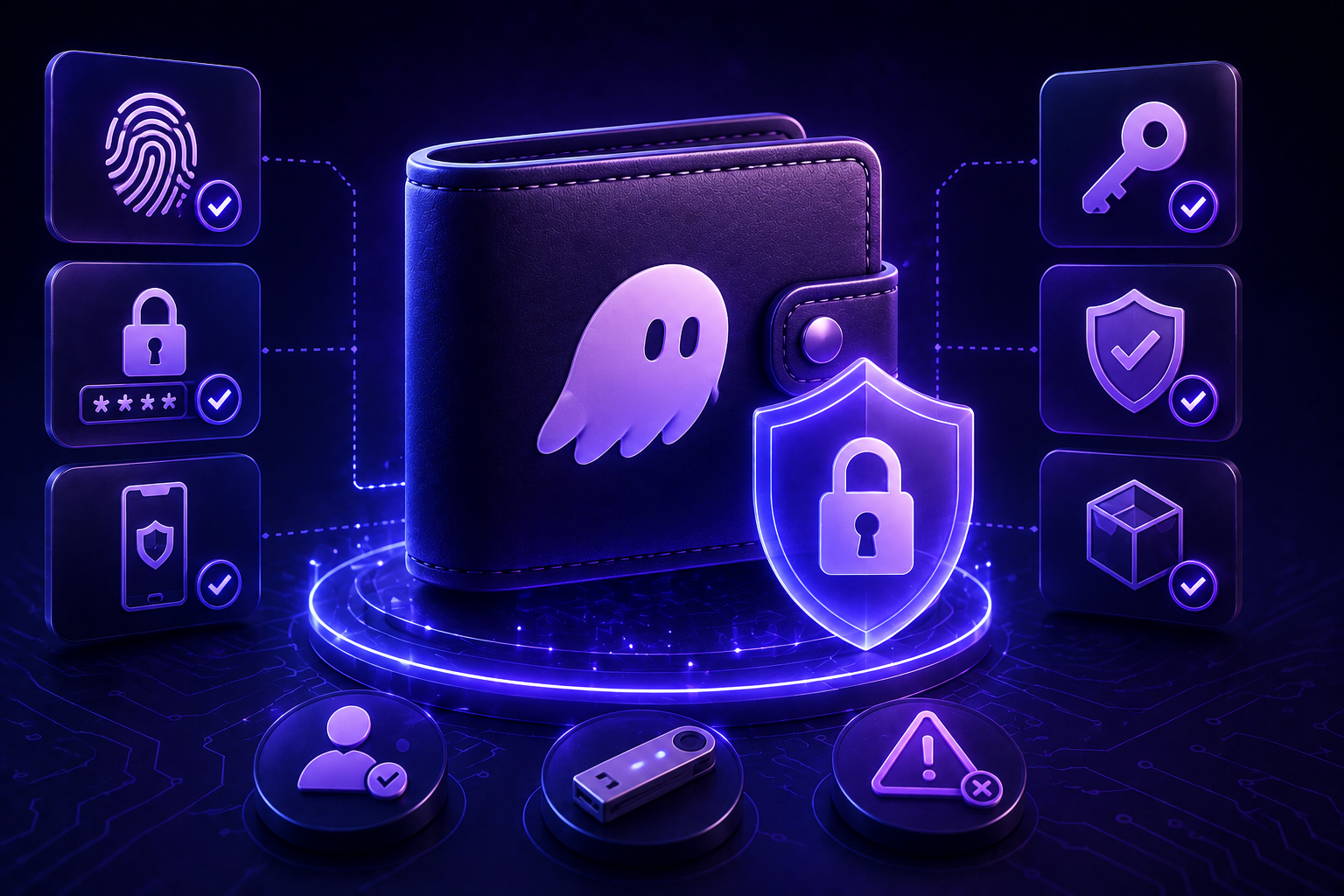
Security features of phantom wallet
Transaction previews
Let’s be real: the scariest thing in crypto is hitting the wrong button and watching your balance disappear. I really rely on Phantom’s transaction previews. Before you confirm anything, the app gives you a clear breakdown: exactly what is leaving your wallet, where it is going, and what the fees look like. If a site tries to pull something shady, the wallet highlights the risk immediately. It gives me that extra second to think, which is often missing in other wallets where you are just signing a confusing string of data.
Scam detection and spam filtering
I am constantly finding weird “free” tokens in my wallets that turn out to be nothing but spam. Phantom uses machine learning to automatically hide this junk so you don’t even have to look at it. They maintain a massive community blocklist of malicious addresses. If you accidentally land on a phishing site, the extension will step in and block the connection. No tech is 100% foolproof, but having this kind of built-in “antivirus” makes life much easier when you are exploring new protocols.
Hardware wallet support
If you are holding a significant amount of money, a phone app alone isn’t enough. I always suggest pairing your wallet with a Ledger. Phantom plays nice with hardware devices, letting you use them as a physical key to authorize moves. On mobile, this works via Bluetooth, which is actually pretty smooth. This way, even if your laptop gets compromised, hackers can’t touch your funds without physically pressing a button on your device. It is the kind of protection that actually lets you sleep at night.
Phantom wallet vs other crypto wallets
I often get asked, “Why should I use Phantom when MetaMask is already there?”. A few years ago, the answer was simple: “Because you need Solana.” Today, it is more nuanced. When you put Phantom next to MetaMask, the first thing you notice is the design. MetaMask often feels like a relic from the early internet days, while Phantom feels like a clean, modern app. Plus, Phantom is no longer just a one-chain tool; it now supports seven different blockchains, including Bitcoin and Ethereum.
Then there is Trust Wallet. It is like a Swiss army knife—it supports almost every chain out there. But that variety makes the interface feel cluttered. Phantom takes a more curated approach. I have found that moving between assets on different networks, like Solana and Polygon, is much smoother in Phantom because of its built-in cross-chain swap feature. If you spend a lot of time on Solana but still want to manage your Ethereum or Bitcoin assets in one place, Phantom is probably the most balanced choice right now.
Tips for using phantom wallet safely
Never share your secret phrase
I’ve talked to plenty of folks who lost everything because they were a bit careless with their recovery phrase. Your 12 or 24 words are the only way to get your funds back if your phone breaks or you lose your laptop. If anyone asks for these words—even if they claim to be from “Phantom support”—they are definitely scammers. Personally, I keep mine written down on a piece of paper hidden away. I never take screenshots or save it in my email, as that is the first place hackers look.
Use multiple accounts for better protection
One thing I like about Phantom is how easy it is to set up different accounts under the same roof. I treat it like having a wallet for pocket money and a safe for savings. I use one address for daily swaps and testing out new decentralized apps, and a completely different one for my main holdings. This way, even if I accidentally connect my “active” wallet to a shady site, the bulk of my crypto stays untouched on the other address.
Stay alert for scam tokens
Sometimes you’ll wake up and see a random token in your balance that you never bought. These are usually just bait. Scammers send these out to lure you to phishing websites where they can drain your wallet. Phantom is pretty good at filtering this junk out automatically, but it is still smart to stay cautious. My rule is simple: if I didn’t buy it, I don’t touch it. Trying to swap or interact with these “free” rewards is a quick way to get into trouble.
Conclusion
Phantom has evolved from a simple Solana extension into a universal tool supporting seven networks and Bitcoin Ordinals. Despite its versatility, it remains clean and beginner-friendly, avoiding technical clutter. It is arguably the gentlest entry point for anyone starting their crypto journey.
However, self-custody requires personal responsibility; there is no “undo” button or recovery service for lost access. I recommend starting with small amounts to master the interface across different blockchains. Eventually, Phantom becomes a reliable guide for exploring the decentralized web.
More Questions
Yes, it is considered one of the most secure hot wallets on the market. It uses machine learning to detect scams and lets you preview transactions before you sign them.
Right now, the wallet supports seven networks: Solana, Ethereum, Bitcoin, Polygon, Base, Sui, and Monad (testnet). This allows you to manage almost all popular assets and NFTs in one interface without jumping between different apps.
If you used the traditional setup, you will need your 12-word secret recovery phrase. If you chose the seedless login, you can regain access using your email and the PIN you created. If you lose both, your funds will be lost forever because the company does not keep copies of your keys.
Yes, Phantom fully supports Bitcoin, including modern standards like Ordinals and BRC-20 tokens. You can not only hold BTC but also view your digital artifacts in the collectibles section and even see rare satoshis in your holdings.
Published Articles
Crypto On-Ramps and Off-Ramps Explained: How Fiat and Crypto Move In and Out
Entering the world of digital assets often feels like trying to cross...
 Popular
Bitcoin Pizza Guy: The Story Behind the First Real Bitcoin Purchase
Introduction The history of Bitcoin is full of dramatic ups and downs,...

Crypto Basics Explained: A Beginner’s Guide to Cryptocurrency and Trading
Introduction The world of finance is changing right before our eyes. Just...
 Popular
Uniswap Explained: What It Is, How It Works, and How to Use the UNI DEX
Introduction Decentralization and decentralized platforms that have emerged in recent years have...
 Popular
Bitcoin Lightning Network Explained: What It Is and How Bitcoin Lightning Works
Introduction In the world of cryptocurrency, transaction speed and costs have always...
How Bitcoin ATMs Work: A Complete Guide to Using Crypto ATMs
Introduction Millions of people around the world use cryptocurrencies today – at...